

Smart home privacy in 2026: what's actually being collected, and how to take back control
Convenience usually comes with a trade-off. As the average home fills up with more connected devices, such as cameras, microphones, thermostats, and TVs, each one is collecting data too. In 2026, that trade-off is finally getting the scrutiny it deserves. The good news: you don't need to rip anything out. You just need to know where to look.
What's actually being collected in an ordinary home
This is less abstract than it sounds. A few concrete examples:
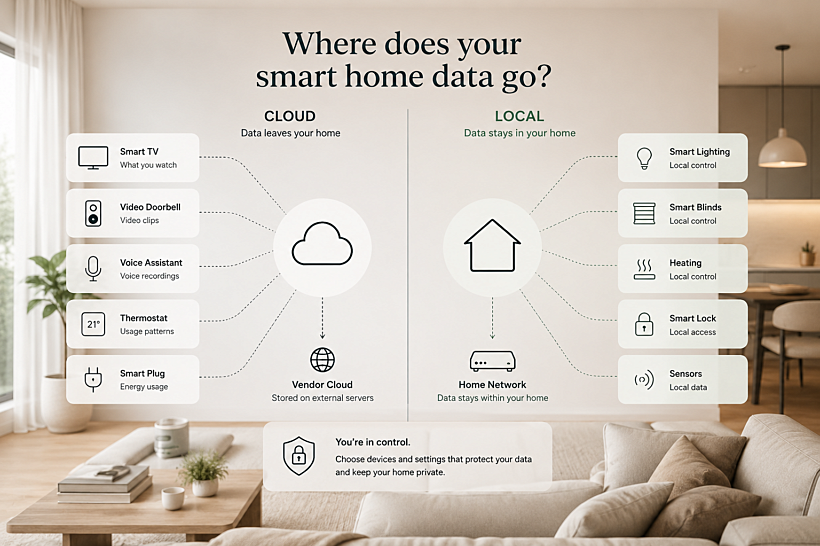
- Your smart TV likely runs automatic content recognition (ACR), quietly logging what you watch, often on by default, to build an advertising profile.
- Most video doorbells and cameras default to storing clips in the vendor's cloud rather than on a local drive, meaning footage of your front door lives on someone else's server. A few brands default to local storage instead, so it's worth checking which kind you have.
- Voice assistants vary by brand. Amazon's Alexa sends every recording to the cloud with no way to opt out, following a 2025 policy change. Google Assistant takes the opposite approach by default, only storing recordings if you turn history on yourself. Either way, it's worth checking your specific device's settings.
- Your smart plugs and thermostats build a usage pattern, such as when you're home, when you're asleep, and when you're away, that's genuinely valuable data, even without a camera involved.
None of this makes any of these devices “bad.” It just means the defaults are usually set for the vendor's convenience, not yours.
A concrete example: the doorbell you installed last year
Say you bought a video camera doorbell last year for the security. Chances are it's been storing every clip in the cloud since day one, retained for weeks, viewable from an app on your phone but also sitting on a server you don't control. Ten minutes in that app's settings covers most of it: turn on local storage if the device supports it, or simply shorten the retention window, and you get almost all the security benefit with a fraction of the exposure. Most people never open that settings screen because nothing prompts them to.
Not every device deserves equal attention
Prioritize by what the device can actually reveal about you. A microphone or camera in a bedroom or living room carries far more risk than a smart plug on a lamp. Start your review with anything that sees, hears, or tracks who's home, and worry about the rest later.
A homeowner's practical privacy audit, this weekend
- Change every default password. Many devices still ship with generic logins like “admin/admin.” Weak or default credentials are widely regarded as the most exploited class of vulnerability in smart home security, so this one change closes off one of the most common ways in.
- Put IoT devices on a separate network. Most routers support a guest or secondary Wi-Fi network. If a cheap smart plug ever gets compromised, it can't then reach your laptop or home files if it's sitting on its own network.
- Go through each device's app and check what it's actually storing. Turn off ACR on your TV, shorten camera clip retention, review which third-party “skills” or integrations your voice assistant has access to and remove ones you don't use.
- When you're buying anything new with a camera or microphone, check for local processing first. A device that can function without a permanent cloud connection is structurally more private, not just a marketing claim you have to trust.
Where system architecture actually matters
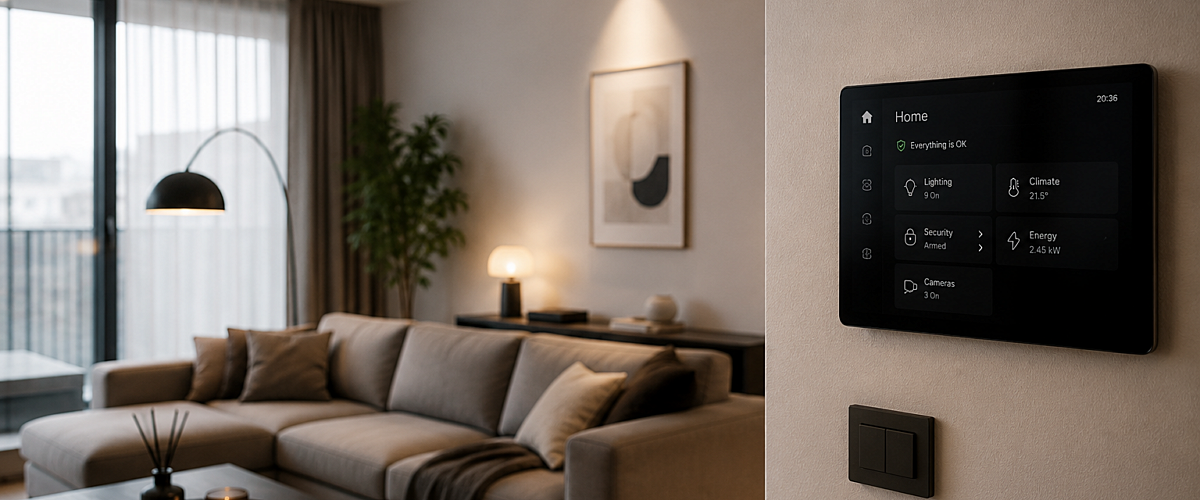
This is also where the backbone behind your home makes a real difference, not as a privacy “feature” you buy, but as a structural choice. A wired, local system like KNX doesn't need to send a command to a cloud server and back just to dim a light or adjust the heating: by design, the control logic lives on your own network. That doesn't make every KNX-connected device automatically private (a KNX-compatible camera still needs the same scrutiny as any other), but it does mean the everyday backbone of your home, such as lighting, heating, and shading, isn't dependent on a third-party server just to function.
The takeaway
You don't need to distrust your smart home. You need to know what it's quietly doing by default. An hour spent going through settings this weekend will do more for your privacy than avoiding smart devices altogether ever would.